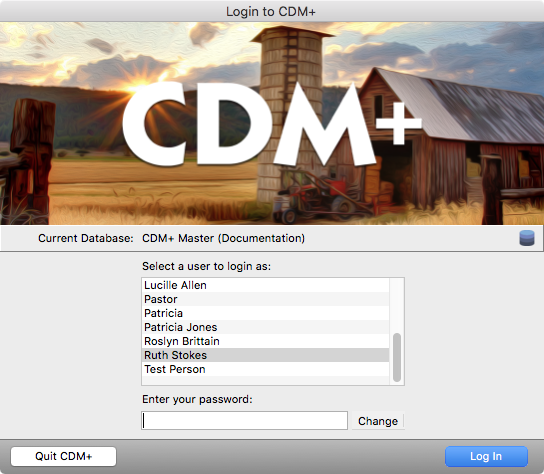
The Login window will open each time you launch the CDM+ and will display a list of users and the name of the database CDM+ is currently accessing.
-
The administrative user and password defined during the initial program setup will appear in the user list on the Login window. If additional people will be using CDM+, the administrative user must log in first and set up the other users on the Users pane of the Administration window.
Create username-password combinations for each person who uses CDM+. Besides limiting access to particular areas of CDM+, passwords protect each user’s specific settings.
-
Most preferences, report setup, and even how you arrange the CDM+ windows on your desktop are user-specific. Logging into CDM+ with your own username and password lets you create your own work environment within CDM+. Finally, implementing different passwords for each user allows the program administrator to see a log of who was using the program, actions each user took and when each user was logged into the program.
-
Any user with administrative access can open Administration under the File menu and view, create and edit user profiles on the Users pane. For more information on creating users and setting their permissions, see Administration.